|
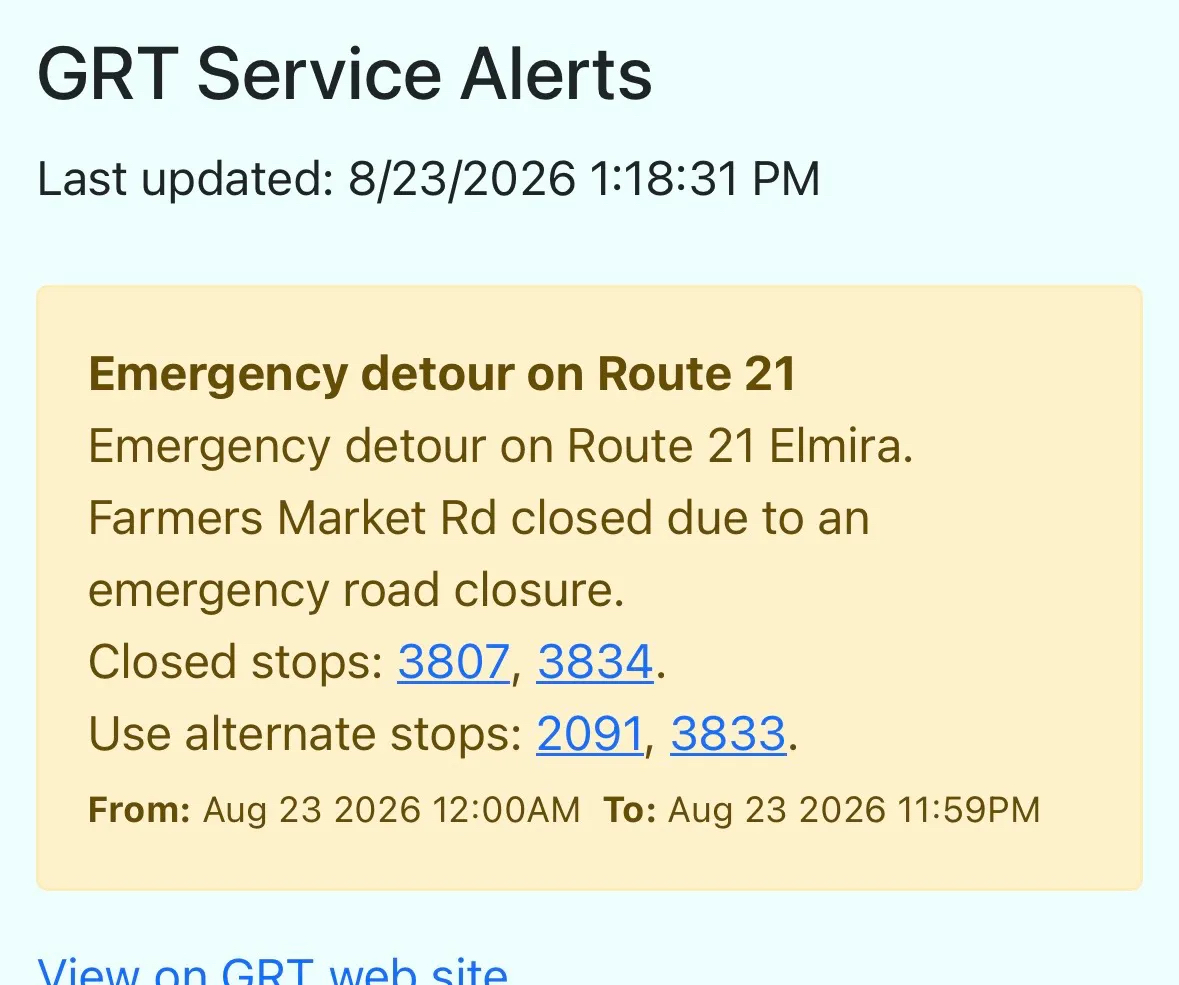
Helping you navigate stop closures Any affected stops page will have a note at the top, bringing extra attention to the fact that an alert may affect your use of it. 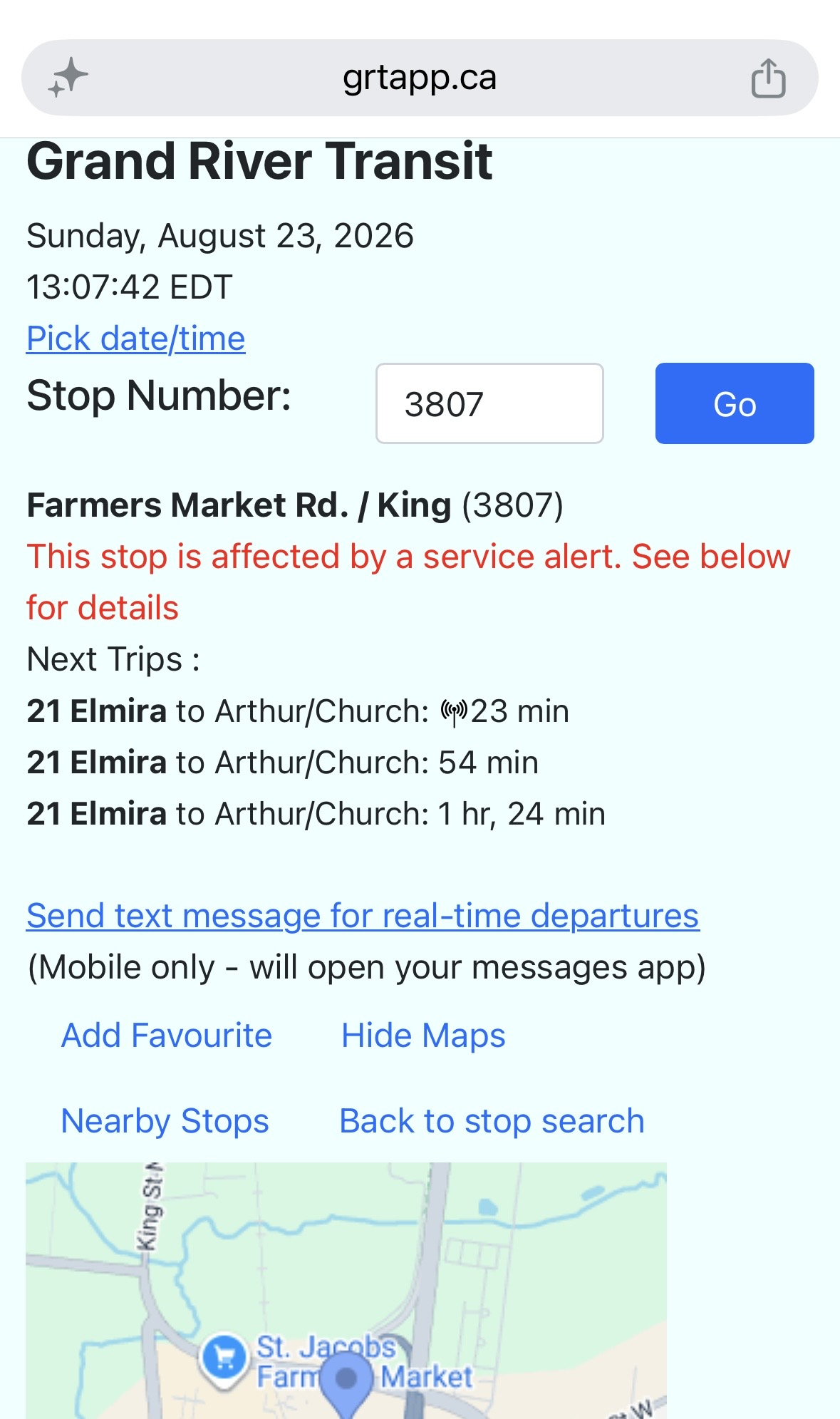 Scroll down and the notice will show, with the stop highlighted so you can see it in context. From here you can then click a specific trip 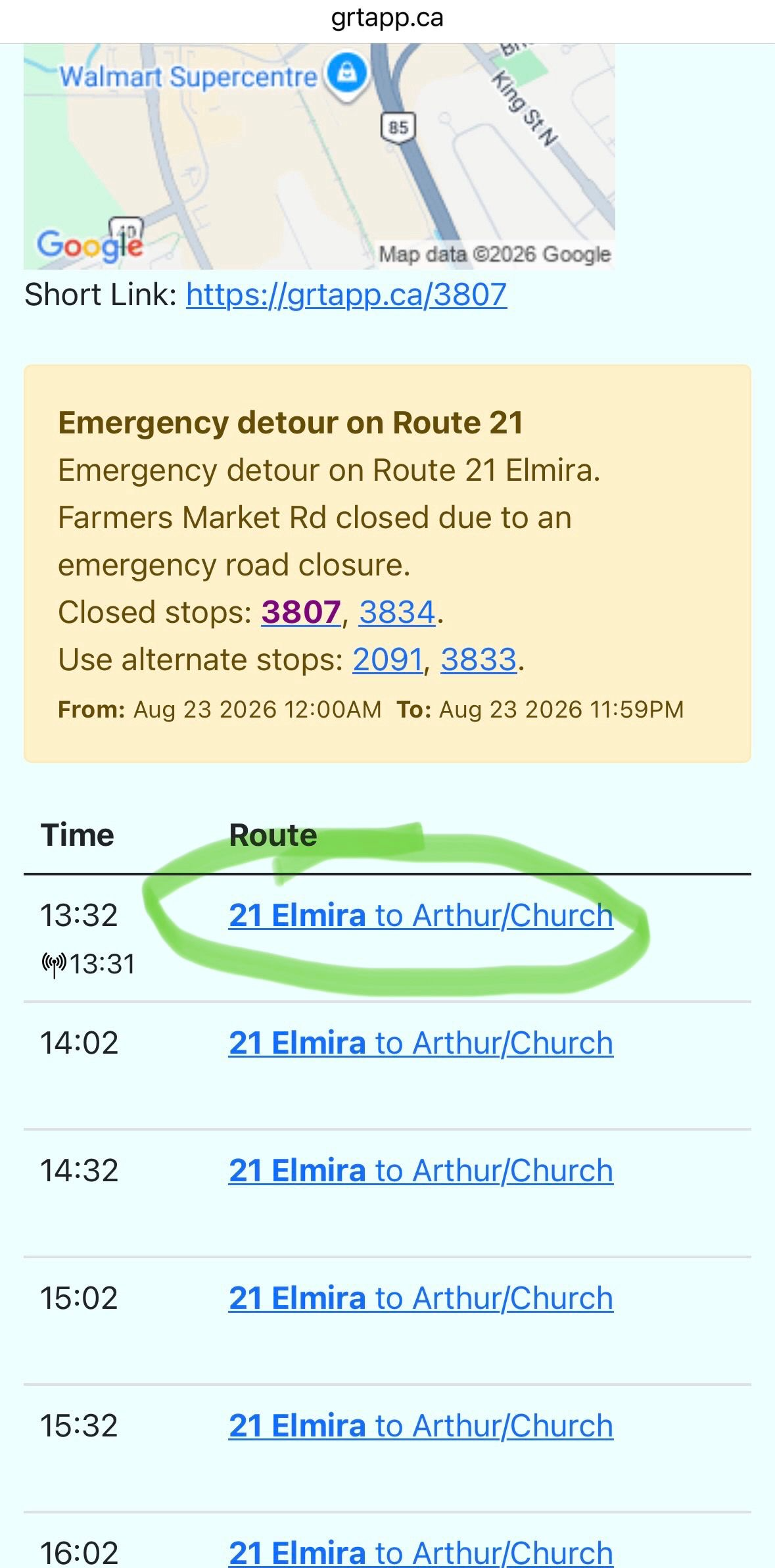 Opening the trips page and you can click the link below the alert to show all stops, which shows all stops for this trip with the current stop and any closed stops indicated, along with estimated times of arrival. 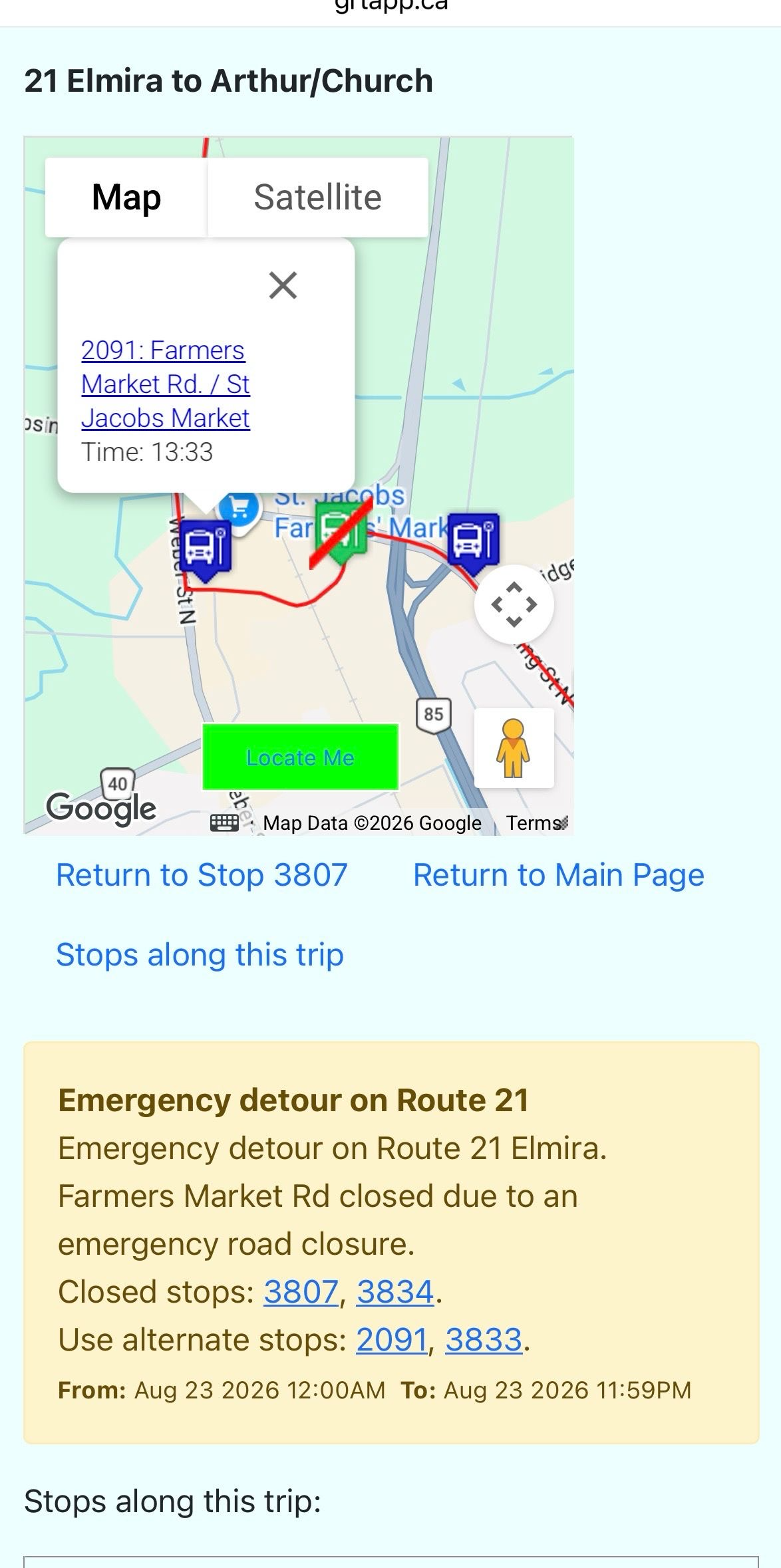 You can use the locate me button on supported mobile and desktop browsers to show your current location on the map (location is not saved) 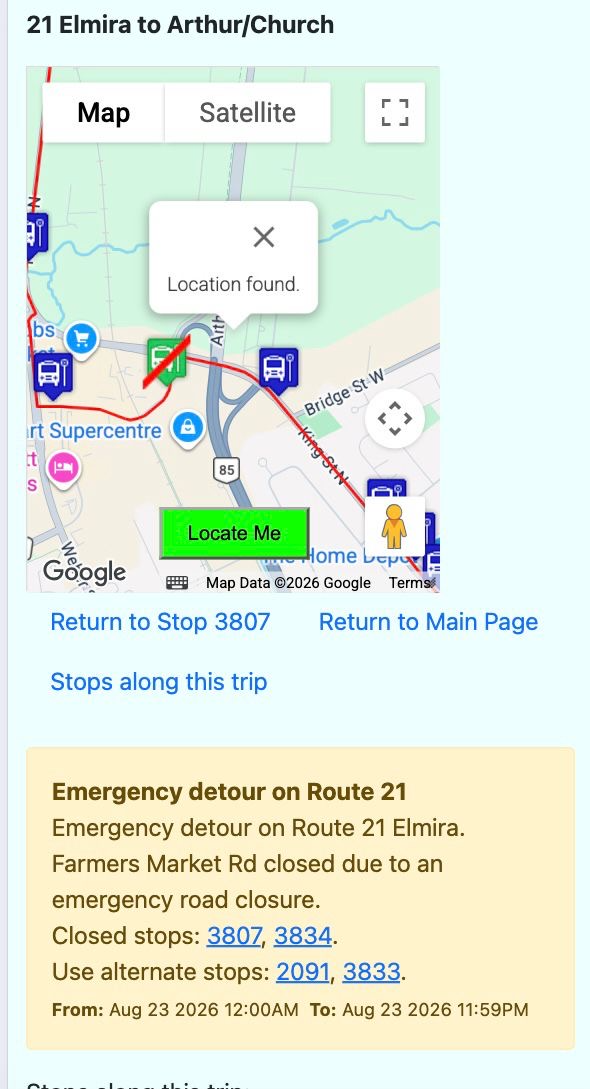 The stop list also indicates closed stops along with estimated arrival times 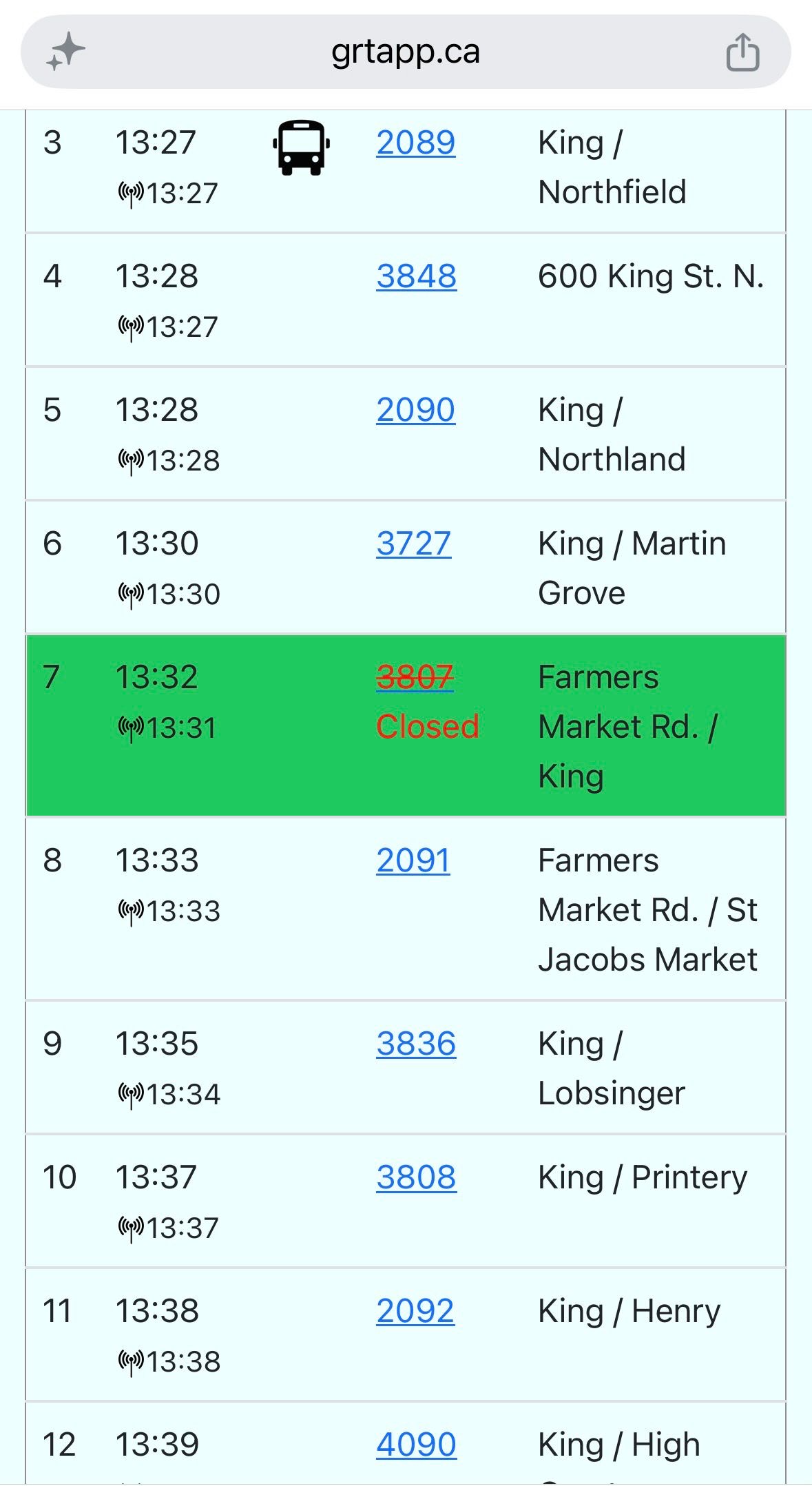 |
Back to main page